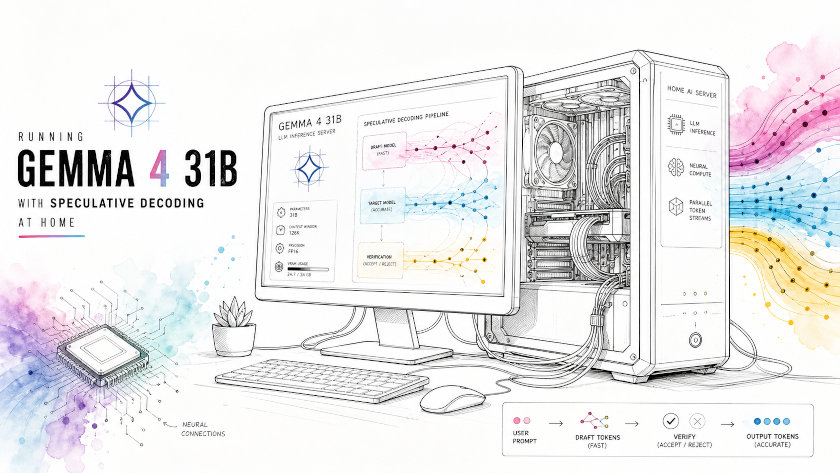
Running Gemma 4 31B with Speculative Decoding at Home
This guide shows how to run Gemma 4 31B locally on Ubuntu 22.04 with two NVIDIA GPUs, how to enable speculative decoding with the Gemma 4 MTP assistant head, and how much speed changed in real tests on the machine used for this setup.
The tested computer used an Intel Core i5-13400 CPU, 64 GB RAM, one RTX 5060 Ti 16 GB, and one RTX 4060 Ti 16 GB, and the runtime logs reported about 31.8 GB of combined VRAM available across both cards.
Hardware and software
The runtime detected two CUDA devices: an RTX 5060 Ti with compute capability 12.0 and about 15.8 GB VRAM, plus an RTX 4060 Ti with compute capability 8.9 and about 15.9 GB VRAM.
The working software stack used Ubuntu 22.04, the NVIDIA 595.71.05 driver, CUDA toolkit 12.9.86 for compilation,
and the atomic-llama-cpp-turboquant fork of llama.cpp because that fork adds Gemma 4 assistant-head support, MTP speculative decoding, and TurboQuant KV-cache support.
Why this llama.cpp fork was used
Standard llama.cpp builds can run Gemma 4 GGUF models, but the Atomic TurboQuant fork adds features that matter for this exact use case: --mtp-head, --spec-type mtp, and TurboQuant KV-cache flags such as -ctk turbo3 and -ctv turbo3.
The assistant model published for this workflow is specifically packaged as a gemma4_assistant GGUF,
which is designed to work with a Gemma 4 target model and provide draft tokens for speculative decoding.
Community reports around Gemma 4 speculative decoding show speedups from around 29 percent on average to near 2× on some tasks, especially when draft acceptance is high.
How speculative decoding flows
The easiest way to understand speculative decoding is to think of it as a fast helper and a smarter checker working together.
The helper guesses several next tokens at once, and the bigger model verifies those guesses in parallel, accepting correct tokens in blocks instead of one by one.
View PlantUML source code
@startuml
actor User
participant "llama-server\nAPI layer" as Server
participant "Draft model\nGemma 4 assistant\n~322 MiB GGUF" as Draft
participant "Target model\nGemma 4 31B\n17.05 GiB GGUF" as Target

User -> Server: Send prompt
Server -> Draft: Fast draft pass
Draft --> Server: Predict token block t1..tK
Server -> Target: Verify t1..tK in parallel
Target --> Server: Accept / reject tokens

alt Many accepted
  Server -> User: Stream accepted block
else Partial match
  Server -> User: Stream accepted prefix
  Server -> Draft: Continue from last correct token
end

loop Repeat until answer ends
  Server -> Draft: Draft next block
  Draft --> Server: More token guesses
  Server -> Target: Verify guesses
  Target --> Server: Accept / reject
  Server -> User: Stream accepted tokens
end
@enduml
In this setup, the target model file was 17.05 GiB and the assistant file was about 322 MiB in runtime logs, which shows why the helper can be cheap to add while still producing a large speed boost.
Important warnings before building
Gemma 4 GGUF users have reported bad behavior with CUDA 13.2 for quantized inference, while CUDA 12.8 and 12.9 are repeatedly described as safer choices.
On this machine, nvcc --version showed CUDA 12.9.86 while nvidia-smi exposed a driver runtime showing CUDA 13.2,
and the setup was compiled explicitly with the CUDA 12.9 toolkit.
The build also required -fno-finite-math-only because ggml now rejects finite-math-only compilation for some CPU routines.
Install build tools
Install the base packages first:
sudo apt update
sudo apt install -y build-essential git cmake ninja-build libssl-dev pkg-config
Then verify the driver and CUDA toolkit:
nvcc --version
nvidia-smi
The build logs in this setup confirmed a CUDA toolkit version of 12.9.86 and two visible GPUs, which is the state needed before compiling the project.
Build llama.cpp TurboQuant fork
Clone the repository:
cd ~
git clone https://github.com/AtomicBot-ai/atomic-llama-cpp-turboquant
cd atomic-llama-cpp-turboquant
Configure and build with the right GPU architectures and the finite-math fix:
rm -rf build

cmake -B build \
  -DGGML_CUDA=ON \
  -DCMAKE_BUILD_TYPE=Release \
  -DCMAKE_CUDA_ARCHITECTURES="89;121" \
  -DCMAKE_C_FLAGS="-O3 -fno-finite-math-only" \
  -DCMAKE_CXX_FLAGS="-O3 -fno-finite-math-only"

cmake --build build --target llama-server llama-cli llama-quantize -j$(nproc)
The build output on this machine showed CUDAToolkit 12.9.86, replaced 121 with 121a, and warned that NCCL was not found,
which means multi-GPU performance may be suboptimal but the server still works.
Download the models
Create a model directory:
mkdir -p ~/models/gemma4-31b
cd ~/models/gemma4-31b
Download the assistant head GGUF:
hf download AtomicChat/gemma-4-31B-it-assistant-GGUF \
  --include "*Q4_K_M.gguf" \
  --local-dir .
The finished assistant file in this setup was named gemma-4-31B-it-assistant.Q4_K_M.gguf and had a file size around 322 MiB in runtime logs,
while ls -lh showed about 338 MB on disk.
Download the main 31B target model GGUF:
hf download unsloth/gemma-4-31B-it-GGUF \
  --include "*Q4_K_M*.gguf" \
  --local-dir .
The main target model used here was gemma-4-31B-it-Q4_K_M.gguf, and the runtime identified it as a 30.70B parameter Gemma 4 model with a file size of 17.05 GiB.
Run with speculative decoding enabled
Start the OpenAI-compatible server like this:
cd ~/atomic-llama-cpp-turboquant

./build/bin/llama-server \
  -m ~/models/gemma4-31b/gemma-4-31B-it-Q4_K_M.gguf \
  --mtp-head ~/models/gemma4-31b/gemma-4-31B-it-assistant.Q4_K_M.gguf \
  --spec-type mtp \
  --draft-block-size 3 --draft-max 12 --draft-min 0 \
  -ngl 99 -ngld 99 \
  -ctk turbo3 -ctv turbo3 -ctkd turbo3 -ctvd turbo3 \
  -fa on \
  -c 16384 \
  -t 10 \
  --host 0.0.0.0 --port 8081
The logs for this machine showed that all 61 of 61 layers were offloaded to GPU, with about 8.87 GiB of model buffer on CUDA0 and 8.59 GiB on CUDA1.
The assistant model was also fully offloaded, adding only a small extra GPU memory load.
Run without speculative decoding
To create a fair baseline, keep the same model, context, and TurboQuant settings, but remove the assistant head and speculative flags:
cd ~/atomic-llama-cpp-turboquant

./build/bin/llama-server \
  -m ~/models/gemma4-31b/gemma-4-31B-it-Q4_K_M.gguf \
  -ngl 99 \
  -ctk turbo3 -ctv turbo3 \
  -fa on \
  -c 16384 \
  -t 10 \
  --host 0.0.0.0 --port 8081
This keeps the comparison clean because the only meaningful difference is whether the assistant head and MTP speculative decoding are active.
Test command
The same OpenAI-style request was used for both runs:
curl -s http://localhost:8081/v1/chat/completions \
  -H "Content-Type: application/json" \
  -d '{
    "model": "gemma-4-31B-it",
    "messages": [
      {"role": "user", "content": "In 3 sentences, explain what speculative decoding is. Do not show your chain-of-thought."}
    ],
    "max_tokens": 128,
    "stream": false
  }'
In this fork, the text answer appeared in reasoning_content while content stayed empty, so speed measurements were taken from the timings block in the JSON response.
Real benchmark table
The table below uses the actual measured outputs from the two test runs on this machine.
| Test mode | Prompt tokens | Completion tokens | Prompt time | Generation time | Speed | Draft counters |
|---|---|---|---|---|---|---|
| Speculative decoding ON | 37 | 128 | 183.197 ms | 4109.452 ms | 31.15 tok/s | draft_n = 93, draft_n_accepted = 79 |
| Speculative decoding OFF | 37 | 128 | 292.065 ms | 8388.57 ms | 15.26 tok/s | No draft counters |
Using the measured generation throughput, the speedup factor is about 2.04×, meaning speculative decoding made this model a little more than twice as fast on the tested prompt.
The high acceptance count in the speculative run helps explain why the result is stronger than the roughly 29 percent average gain reported in some community discussions.
What the numbers mean in plain language
At about 15.26 tokens per second, the model feels usable but still noticeably slow when it is thinking through longer answers.
At about 31.15 tokens per second, the model feels much closer to a live conversation, especially for short explanations, coding help, and structured outputs. That difference is why speculative decoding matters so much for home setups: it changes the experience from “waiting for a machine to type” to “chatting with a machine that keeps up.”
Troubleshooting notes
If the server cannot bind to port 8080 or 8081, another process is already using that port and it should be stopped or a new port should be chosen.
If build errors mention non-finite math, keep the -fno-finite-math-only flags in the C and C++ compiler settings.
If Gemma 4 produces broken output or gibberish, CUDA 13.2 is a likely suspect and community guidance points back to CUDA 12.8 or 12.9 as safer versions.
Final takeaway
This setup proves that Gemma 4 31B can run locally on a strong consumer desktop with two 16 GB GPUs, and it also proves that speculative decoding is not a tiny optimization but a major speed feature in practice.
On the tested machine, speculative decoding improved generation speed from about 15.26 tok/s to about 31.15 tok/s using the same model and the same prompt.
Published on 5/15/2026