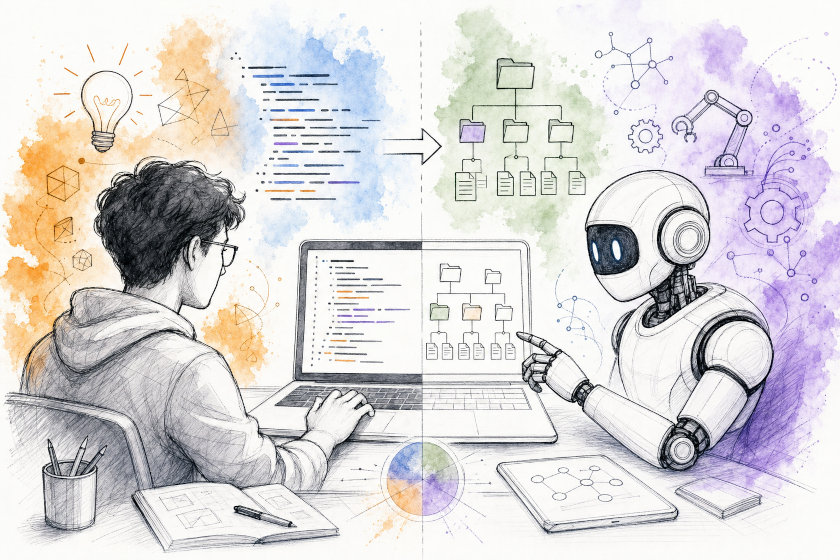
How to Use One Prompt to Build a Complete AI Context Architecture for Your Codebase
The Problem: AI Agents Forget Everything, Every Time
If you've used Cursor, Claude Code, GitHub Copilot Agents, or Codex on a real project, you've probably hit the same wall: the agent is smart, but it has no memory of your codebase between sessions, no shared understanding of your architecture, and no consistent set of rules to follow. Every session starts from zero.
The usual fix is to dump everything into one giant AGENTS.md or CLAUDE.md file. That works for a week, then the file becomes a 2,000-line wall of text that the agent partially ignores and nobody wants to update.
The prompt described in this article solves that differently. Instead of asking an AI agent to write code, it asks the agent to act as an infrastructure architect and design a proper documentation and memory system for your project first — before touching any code. You run this prompt once (or once per project), and it produces a clean, reusable structure that every future agent session can plug into.
The Document Pipeline That Feeds This Structure
Before any of this AI-context tooling makes sense, the project needs a small set of canonical human-facing documents that act as the actual source of truth. The prompt treats these as inputs the agent should read, link to, and summarize from — never duplicate or replace:
Development pipeline
| Step | Document | Standard | Use for |
|---|---|---|---|
| — | 01-requirements.md | SRS | Source of truth — what to build: dataset, MCP surface, NFRs, milestones |
| 1 | 02-architecture.md | SAD | System context, Modulith modules, stack, design decisions |
| 2 | 03-design.md | SDD | Schema, domain records, service/repository APIs, MCP class sketches |
| 3 | 04-testing.md | Test plan | Unit/integration/quality tests, CSV split discipline, CI gates |
| 4 | 05-deployment.md | Ops guide | application.yml, env vars, Docker, MCP client config |
Each row follows a recognized documentation standard — SRS (Software Requirements Specification), SAD (Software Architecture Document), SDD (Software Design Document), a Test Plan, and an Ops guide — so the pipeline isn't invented from scratch, it's the same shape a human team would already use. 01-requirements.md is marked as the actual source of truth: if anything downstream disagrees with it, the requirements document wins until it's explicitly updated.
There are two supplementary documents alongside the pipeline:
| Document | Use for |
|---|---|
| use-cases.md | Actors, workflows, per-tool scenarios, out-of-scope list |
| ai-context-strategy.md | AI agent context layers (skills, memory bank) |
The AI context system described in the rest of this article — AGENTS.md, skills, and the memory bank — sits on top of this pipeline. The memory bank stores compact, distilled notes and links back to these documents; it never copies large chunks of them. If docs/ and the memory bank ever disagree, docs/ (and ultimately 01-requirements.md) is the canonical source, and the mismatch gets flagged for a human instead of silently resolved by the agent.
The Big Picture: Four Layers, Not One File
The prompt builds four distinct layers instead of one file:
| Layer | Location | Purpose |
|---|---|---|
| Root instructions | AGENTS.md | Short, global rules and an index to everything else |
| Module instructions | services/*/AGENTS.md | Local rules for a specific part of the codebase |
| Skills | .agents/skills/<name>/SKILL.md | Reusable "how-to" knowledge, loaded only when relevant |
| Memory bank | .agents/memory-bank/ | Long-term project memory that survives between sessions |
Think of it like an employee onboarding kit: the root AGENTS.md is the one-page company handbook, the nested files are department-specific guides, the skills are training manuals you only open when doing that specific job, and the memory bank is the shared notebook where the team writes down decisions and progress so nobody has to re-explain everything on Monday morning.
Step 1. Make the Agent Analyze the Repository First
The most important instruction in the prompt is also the simplest: don't write anything until you understand the project.
Before creating a single file, the agent must:
- List the top-level folders and identify the real modules (e.g.
core,api,frontend,infra). - Figure out which modules depend on which, and which ones are "core" domain logic versus "edge" infrastructure or UI.
- Find the main domain objects (things like
Order,User,Task) and decide which module owns each one. - Write a short summary: an architecture description, a simple text diagram, and a table of
module → responsibilities → owned domain models → dependencies.
Only after this analysis is done does the agent move on to designing folders and files. This single rule prevents the most common failure mode of AI-generated documentation: confident-sounding but wrong descriptions of an architecture the agent never actually looked at.
Step 2. Create the Skeleton
Once the analysis is done, the agent creates a minimal, tool-agnostic skeleton:
.
├── AGENTS.md
├── .agents/
│   ├── memory-bank/
│   └── skills/
└── src/...
Nothing IDE-specific yet — no .cursor/ folder, no tool-specific config. That comes later, if ever. The idea is that .agents/skills/ and .agents/memory-bank/ are the single source of truth, and any specific tool (Cursor, Copilot, Claude Code) can read from them or generate its own config out of them.
Step 3. The Memory Bank — Split by How Often Things Change
This is the part most teams get wrong when they try to build "AI memory" themselves: they put everything in one file, and two agents working at the same time immediately create merge conflicts. The prompt solves this by splitting memory into tiers, based on how often each part changes and who is allowed to edit it.
Reference files — hand-edited, rarely change:
projectbrief.md— what the project is, who it's for, its scopesystemPatterns.md— architecture, module boundaries, integration patternstechContext.md— languages, frameworks, build/test commands
Generated index files — never hand-edited, always rebuilt by a script:
activeContext.md,progress.md,decisions.mdand similar files are regenerated by a small script (scripts/sync-memory-index.sh) from raw data below. If two agents run the script, they get the exact same output — so there's nothing to merge.
Append-only registries — one line per record, never edited:
registry/req.jsonl,registry/dec.jsonl,registry/risk.jsonl, and similar files hold one JSON object per line, each with a stable ID likeREQ-001orDEC-014. To create a new ID, an agent just reads the last one, adds one, and appends a new line. If two agents try this at once, the only possible conflict is "who owns the last line" — trivial to resolve.
Per-record files — one file per unit of work:
- Instead of one big
progress.mdthat everyone rewrites, each completed milestone gets its own file:records/progress/M07.md,records/progress/M08.md, and so on. Two agents finishing different milestones never touch the same file.
Module locks — a simple traffic light:
locks/<module>.mdrecords which agent currently "owns" a module, so two agents don't silently break a pair of files that must change together (like a prompt template and the code that parses its output).
Worktree scratchpads — throwaway notes:
- Per-branch working notes live in a git-ignored folder and are never merged into the main branch. Only the finished registries and records get promoted.
This tiered design is the actual innovation here: it turns "AI memory" from a single fragile file into a small, boring, conflict-free filing system.
Step 4. Design Skills That Actually Get Loaded
A "skill" here just means a focused how-to document that the agent loads only when it's relevant — instead of stuffing every possible instruction into the main file. The prompt asks for 4–7 starting skills based on the real modules found during analysis, such as:
core-architecture— system structure and layer boundariescode-style— naming conventions and idiomatic examplestesting— what a good test looks like per moduledb-migrations— how to write and apply migrationssecurity-check— a security review pass before and after codingwrite-less-code— a reminder to avoid unnecessary complexityfinding-your-unknowns— a structured way to surface hidden assumptions
Every skill file follows the same minimal template, so agents (and humans) know exactly where to look:
# <Skill Name>

## Description
Short description of what this skill helps with and which modules/domain areas it covers.

## When to use
- List of situations or task types where this skill should be loaded.

## Instructions
- Concrete, actionable instructions for the agent.
- Include examples and "dos/don'ts" where helpful.

## Boundaries
- Things this skill must not change or decide on its own.
The "Boundaries" section is the small detail that makes skills safe: each skill is explicitly told what it is not allowed to touch, so a testing skill can't quietly rewrite architecture, and a security skill is told to flag problems rather than auto-fix them.
Step 5. Keep the Root AGENTS.md Small on Purpose
It's tempting to make the root file comprehensive. The prompt does the opposite — it puts a hard size limit on it:
- Target: 150 lines, hard limit around 10–15 KB.
- No pasted specs, no long prose — bullets and short paragraphs only.
- Its only job is to explain what the repo is, list commands, state global boundaries, and link out to the nested
AGENTS.mdfiles, the skills index, and the memory bank.
In practice this means the root file reads like a table of contents, not an encyclopedia. Everything deep goes into a skill, a nested module file, or the memory bank — and the root file just points to it.
Step 6. Add Traceability So Nothing Gets Lost in Chat
One subtle but valuable idea in the prompt: every requirement, decision, test, and risk gets a stable ID (REQ-001, DEC-014, TEST-022, RISK-003...) and those IDs get linked together — a requirement points to the module that owns it, the domain models it touches, the test scenarios that verify it, and the code that implements it. This can be written as a simple Markdown table:
| Requirement ID | Summary | Module | Domain Models | BDD Scenarios | Tests | Implementation |
|---|---|---|---|---|---|---|
| REQ-001 | User resets password by email | backend/auth | User, PasswordResetToken | SCN-001, SCN-002 | TEST-011 | src/main/... |
Why does this matter? Because without stable IDs, "why did we build this feature" and "does this test actually cover it" end up buried in chat history that nobody can search later. With IDs, the answer is a grep away.
Step 7. Guard Against the Multi-Agent Mess
If you run more than one AI agent on the same repo at the same time (which is increasingly common), the usual failure is two agents editing the same file and producing a broken merge. The prompt bakes in five rules to prevent this:
- Append, never rewrite — registries and record files only ever get new lines added.
- One record per file — no two milestones share a file.
- Generated files are read-only to agents — they're rebuilt by script, never hand-edited.
- Acquire a lock before touching coupled files — files that must change together are protected.
- Worktree notes stay local — draft thoughts never leak into the shared memory.
These are boring rules, but boring is exactly what you want from infrastructure that multiple agents touch unsupervised.
How to Actually Use This Prompt
📌 The full prompt referenced throughout this article is available here: bootstrap-new-project.md.
- Open a new AI coding agent session (Claude Code, Cursor, Codex, whichever you use) inside your project.
- Paste the full "Bootstrap AI context strategy" prompt (linked above) as the first message.
- Let the agent run its analysis pass and show you the module/domain summary — read it, and correct it if something is wrong before it writes any files.
- Review the generated
AGENTS.md, skill files, and memory-bank seed files. Trim anything that doesn't apply to your project. - Commit the structure to your repository. From then on, every new agent session starts by reading
AGENTS.md, the closest nestedAGENTS.md, and the reference files in.agents/memory-bank/. - As work happens, let agents append to the registries and per-record files instead of rewriting the reference documents — this is what keeps the system usable months later.
Best Practice Tips
- Never let an agent write context files before it has actually analyzed the repository — assumptions baked into documentation are worse than no documentation.
- Keep the root
AGENTS.mdunder roughly 150 lines; if it's growing, that content probably belongs in a skill or a nested module file. - Treat generated index files (
activeContext.md,progress.md,decisions.md) as read-only — always edit the source registry and re-run the sync script instead. - Give every skill a "Boundaries" section — a skill without limits will eventually make decisions it shouldn't.
- Assign a stable ID to any requirement, decision, or risk the moment it's identified, and link it to the code that implements it.
- If two agents might work on the repo at once, use module locks before editing any pair of files that must change together.
Final Thoughts
The value of this prompt isn't the specific folder names — it's the underlying idea: separate what changes rarely (architecture, rules) from what changes constantly (progress, decisions, tasks), and make the constantly-changing part append-only so multiple agents (and multiple people) can work on the same project without stepping on each other.
Run this prompt once at the start of a project, keep the structure honest as the codebase evolves, and every future AI coding session — yours or a teammate's — starts with real context instead of a blank page.
Published on 7/18/2026