Audio transcription and translation with Gemma 3n
Gemma 3n (E2B and E4B) can turn speech into text, or into text in another language, on a local machine. You keep the audio files on your own hardware instead of uploading them to a cloud API or paying per minute.
What Gemma 3n does
Gemma 3n is a multimodal model that accepts audio and returns text. The same chat interface covers transcription (speech to text in the same language) and speech-to-text translation (speech in one language, text in another).
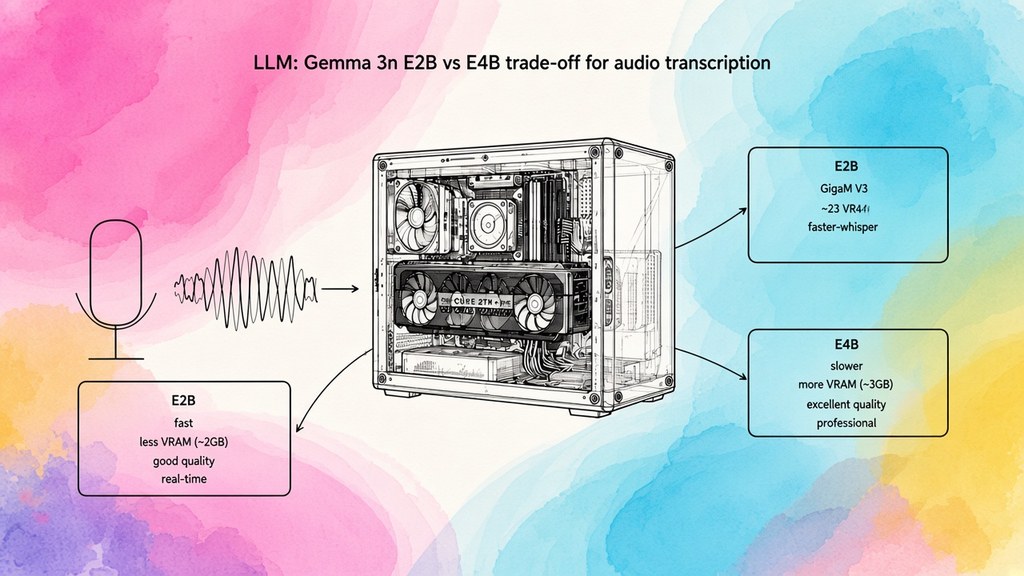
E2B vs E4B
| Model | E2B | E4B |
|---|---|---|
| Speed | Fast | Slower |
| Memory | Uses less VRAM | Uses more VRAM |
| Quality | Good | Excellent |
| Use case | Real-time stuff | Professional |
E2B is the lighter option: faster and less demanding on hardware. E4B needs a stronger PC and tends to produce better transcripts.
Hardware
A gaming PC or laptop with a recent NVIDIA GPU (RTX 3060 or better) is enough for most setups.
- RAM: 8 GB works; 16 GB or more is more comfortable
- VRAM: about 2 GB for E2B, about 3 GB for E4B
- Disk: roughly 2-3 GB free for the model weights
Setup
Install the Python packages:
pip install torch transformers torchaudio
Load a model and its processor (swap the id for E4B if you prefer):
from transformers import AutoModelForImageTextToText, AutoProcessor

model_name = "google/gemma-3n-e2b-it" # or "google/gemma-3n-e4b-it"
model = AutoModelForImageTextToText.from_pretrained(model_name)
processor = AutoProcessor.from_pretrained(model_name)
Model files come from Google or Hugging Face. You also need a working Python
install with torch, transformers, and torchaudio.
Transcription
Most common formats work (mp3, wav, m4a). Gemma prefers 16,000 Hz mono audio.
messages = [
 {
 "role": "user",
 "content": [
 {"type": "audio", "audio": "your_file.wav"},
 {"type": "text", "text": "Transcribe this audio"}
 ]
 }
]
inputs = processor.apply_chat_template(messages, tokenize=True, return_tensors="pt")
outputs = model.generate(**inputs, max_new_tokens=256)
result = processor.decode(outputs[0], skip_special_tokens=True)
print(result)
Translation
Same pattern, different prompt. Example: English speech to French text.
messages = [
 {
 "role": "user",
 "content": [
 {"type": "audio", "audio": "your_file.wav"},
 {"type": "text", "text": "Translate this English audio to French"}
 ]
 }
]
inputs = processor.apply_chat_template(messages, tokenize=True, return_tensors="pt")
outputs = model.generate(**inputs, max_new_tokens=256)
result = processor.decode(outputs, skip_special_tokens=True)
print(result)
Tips that matter
- Prefer E2B when you care about speed and VRAM; prefer E4B when you care about accuracy.
- Split long recordings into about 30-second chunks.
- Keep prompts short. "Transcribe this audio" or "Translate this audio to French" is usually enough.
- Start with short, clear clips, then tune settings once the pipeline works.
Example uses
- Meeting notes: record on a phone, transcribe locally, optionally translate for colleagues who speak another language.
- Video subtitles: generate captions for a clip, or translate them for a second audience.
- Call review: transcribe customer-service calls for quality review, or translate them for reporting across language teams.
Quality and speed
- Accuracy: around 90% or higher on clear speech.
- Speed: E2B about 4× real time; E4B about 2× real time.
- Translation: English↔French gives natural, accurate results.
Running it as a service
You can wrap the same generate path in a FastAPI (or similar) service that accepts uploads and returns transcripts. Heavier GPUs help if you process many files or longer audio.
Privacy
Inference runs on your device. Audio does not leave the machine unless you send it somewhere yourself.
Troubleshooting
- Slow: split into shorter chunks, or switch to E2B.
- Odd transcript: check that the audio is clear and mono.
- Choosing a model: E2B for speed, E4B when accuracy matters more.
Published on 8/16/2025